ArcGIS Feature Server
Connect to an Esri ArcGIS REST Feature Server to display vector features directly from an ArcGIS service. This is useful when your organisation stores authoritative data in ArcGIS Online or ArcGIS Enterprise and you want to visualise it in AugmentCity without exporting.
Connecting
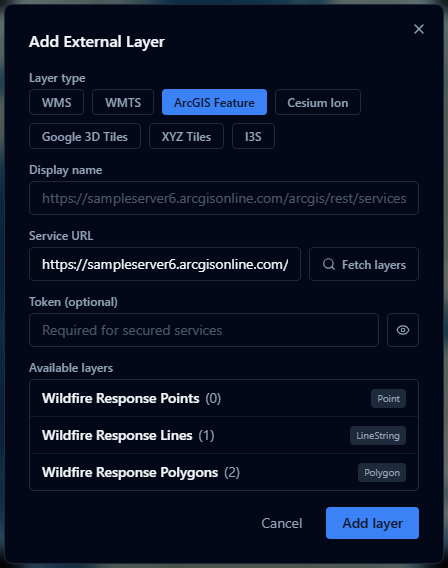
- Open the Layers panel and click Add URL (in the panel header).
- Choose ArcGIS Feature as the layer type.
- If the service requires authentication, enter your access token in the token field.
- Enter the service URL — the URL of the ArcGIS Feature Server (ending before the layer number, e.g.
.../FeatureServer). - Click Fetch layers — AugmentCity queries the service and lists the available feature layers.
- Select a layer. AugmentCity fetches the layer's field schema and default style automatically.
- Click Add.
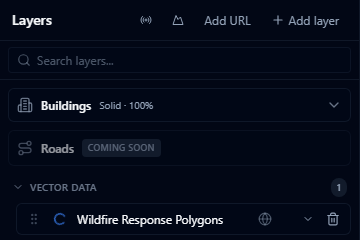
Service URL format
The URL should point to the FeatureServer endpoint:
https://services.arcgis.com/{org}/ArcGIS/rest/services/{ServiceName}/FeatureServer
https://gis.example.gov/arcgis/rest/services/{ServiceName}/FeatureServer
Do not include the layer number (/0, /1, etc.) — select the layer using the picker after fetching.
Authentication
If the service requires a token, enter it in the Access token field. The token is used only for the current session and is not stored in the project — it is not saved to the database to prevent exposing credentials to other project members.
You will need to re-enter the token each time you reload the project if the service is not publicly accessible.
Style import
AugmentCity reads the layer's drawingInfo from the ArcGIS service and converts it to the platform's style format. Simple symbol renderers (single symbol, unique value, class breaks) are translated automatically. Complex renderers may fall back to a default style.
Limitations
- Feature layers only — map image layers (MapServer) are not currently supported
- Features are loaded as static GeoJSON snapshots — live edits to the ArcGIS service are not automatically reflected until the project is reloaded
- The access token is not persisted; secured services require re-authentication on each session