3D Models (GLB & GLTF)
Import 3D models in glTF format to place detailed objects — buildings, infrastructure, equipment, vehicles — at precise locations on the globe.
Supported formats
| Format | Extension | Notes |
|---|---|---|
| Binary glTF | .glb | Self-contained; preferred format |
| Text glTF | .gltf | The companion .bin buffer is embedded automatically during import |
Importing
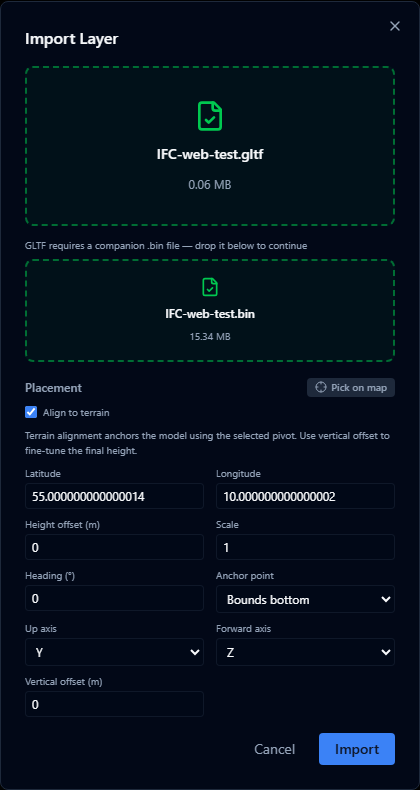
- Open the Layers panel and click +.
- Select Import file and choose your
.glbor.gltffile (max 200 MB). - The model is uploaded and appears on the map.
For .gltf files, AugmentCity reads the companion .bin buffer from disk and inlines it into the file before upload, producing a self-contained model. Select the .gltf file — the .bin is read automatically from the same folder if you are importing via a directory picker.
Reusing uploaded models

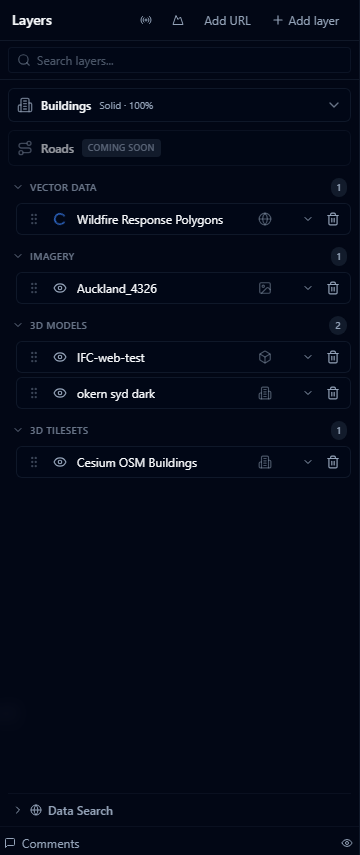
Imported model layers are reusable from Models in this project when you style a GeoJSON point layer as 3D models. This avoids uploading the same bench, tree, vehicle, or street object each time a point dataset needs that model.
Use Models in this project for point model visualisation, where a point layer displays the same uploaded model at every feature.
Standalone placement is different. Each Import file upload (above) is placed directly on the map as its own 3D model layer immediately — there is no separate save step. To place a catalog 3D asset directly on the map instead of uploading your own file, use Place in scene from the Public Dataset Catalog.
See 3D Model Styling for the model picker, Models in this project, and catalog assets.
Model placement
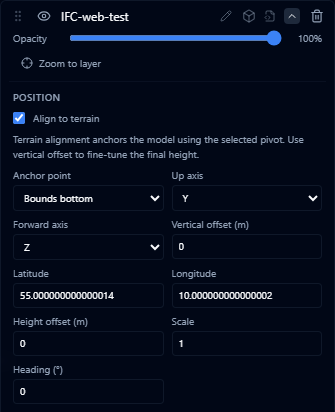
Models are placed at the origin defined inside the glTF file. For models with correct georeferencing (e.g. exported from a BIM or GIS tool with real-world coordinates), they will appear at the right location automatically.
For models without embedded coordinates, you can adjust the position by editing the layer's position style property in the Style Editor.
Performance
- Models with a high polygon count (> 500 000 triangles) may reduce viewer frame rate
- Use LOD (Level of Detail) in your model where possible
- The viewer uses Cesium's glTF renderer, which supports physically based rendering (PBR) materials, textures, and animations defined in the glTF spec