Point Clouds (LAS & LAZ)
Point clouds are large collections of georeferenced 3D points captured by LiDAR scanners or photogrammetry. Import them to view terrain, buildings, and vegetation in full 3D detail.
Supported formats
| Format | Extension | Notes |
|---|---|---|
| LAS | .las | Uncompressed point cloud |
| LAZ | .laz | Compressed LAS — same data, smaller file |
Importing
- Open the Layers panel and click + Add layer.
- Choose your
.lasor.lazfile (max 200 MB). - AugmentCity converts the file to a streamable 3D Tiles format in the background. While the conversion job runs, the layer appears in the Layers panel with a processing indicator in place of the visibility toggle.

- Once the job finishes, the layer shows its normal visibility toggle and loads in the viewer. Points are colored by their classification or intensity by default.
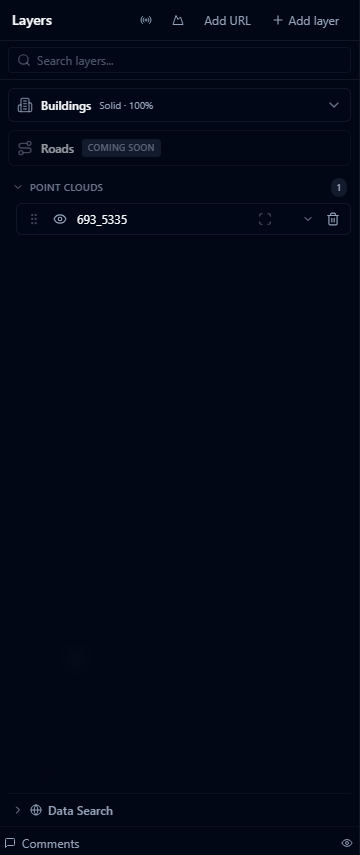
Conversion happens server-side and can take a few minutes for large files. You can keep working in the project while it runs — the layer updates automatically when ready.
Coordinate systems
LAS/LAZ files store coordinates in the CRS defined in the file header. AugmentCity reads the CRS from the header and reprojects to WGS 84 automatically. Common systems are supported including UTM, national grids, and geographic coordinates.
If the CRS is not recognized, points are placed at the raw coordinates — which may result in the data appearing in the wrong location.
Performance
Point clouds are rendered using Cesium's 3D Tiles streaming engine. This means:
- Very large files (hundreds of millions of points) stream progressively — the viewer loads the most important points first
- Zoom in to see full resolution; zoomed out views show a reduced representation
- Files up to 200 MB are supported for import; larger datasets may need to be split or hosted externally (see Cesium Ion)
Limitations
- Color channels (RGB) from the LAS file are used where present; otherwise points are colored by intensity or classification
- Full-waveform LAS data is not rendered (only the discrete return positions are used)