IFC (BIM Models)
IFC (Industry Foundation Classes) is the standard open format for Building Information Modelling (BIM) data. Import IFC files to place detailed 3D building models on the map.
Importing
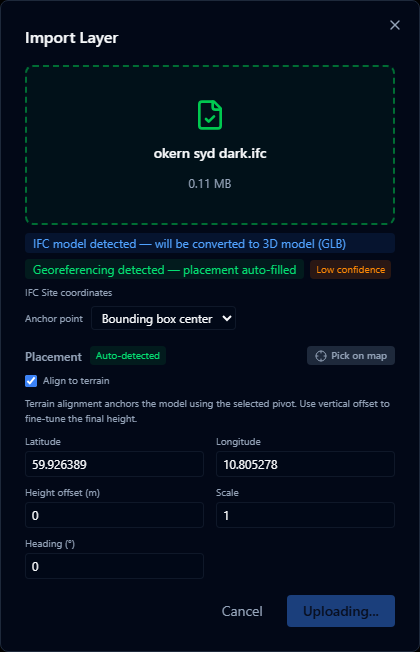
- Open the Layers panel and click +.
- Select Import file and choose your
.ifcfile (max 200 MB). - A progress indicator shows the conversion stages: Parsing → Generating geometry → Uploading.
- The model is placed on the map using the coordinates embedded in the IFC file.
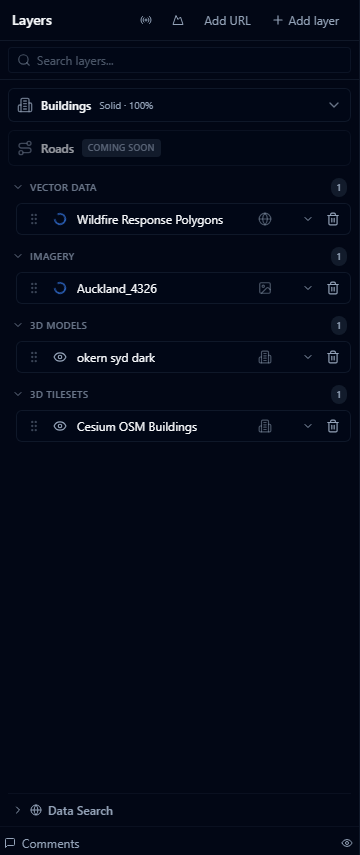
Conversion process
IFC files are converted to GLB (binary glTF) in the browser before upload. This process:
- Runs entirely in the browser — no data is sent to a third-party conversion service
- Preserves the 3D geometry and basic material colors
- Strips non-geometric data (schedules, quantities, etc.)
The conversion can take 10–60 seconds for large or complex models. Do not close the dialog while conversion is in progress.
Georeferencing
IFC files that include georeferencing information (a IfcMapConversion entity or a UTM coordinate reference system in the site element) are placed at the correct location on the globe automatically.
For files without embedded georeferencing, you will be prompted to place the model manually by clicking a location on the map.
Limitations
- Textures and bitmap materials are not preserved — surfaces use flat colors only
- Very large or highly detailed models (> 50 000 elements) may reduce viewer performance
- IFC 2x3 and IFC 4 are supported; IFC 4.3 support is partial
- The
.ifczipcompressed format is not currently supported
For large BIM models, consider splitting by building or floor and importing as separate layers. This gives you independent visibility control over each part.