XYZ Tiles
XYZ tiles (also called slippy map tiles) are the standard format for web map background imagery — used by OpenStreetMap, Google Maps, and most basemap providers. Connect an XYZ tile URL to overlay any compatible tile service on your 3D globe.
Connecting
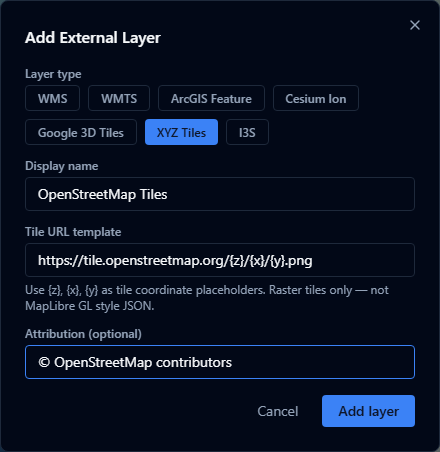
- Open the Layers panel and click Add URL.
- Choose XYZ Tiles as the layer type.
- Enter the tile URL template — a URL containing the
{z},{x}, and{y}placeholders. - Optionally enter an attribution string that credits the data provider.
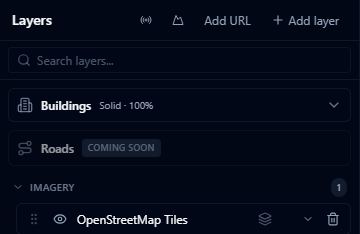
- Click Add layer.
URL template format
The URL must include the three tile coordinate placeholders:
| Placeholder | Meaning |
|---|---|
{z} | Zoom level |
{x} | Tile column |
{y} | Tile row |
Examples:
https://tile.openstreetmap.org/{z}/{x}/{y}.png
https://tiles.example.com/imagery/{z}/{x}/{y}.png
Some providers use subdomains for load balancing. AugmentCity does not automatically expand {s} subdomain placeholders — use a single subdomain in the URL.
Attribution
Enter the attribution text required by your tile provider (e.g. © OpenStreetMap contributors). This is displayed in the viewer when the layer is visible, as required by most tile service terms of use.
Limitations
- Tile layers are raster imagery only — no vector features or attribute data
- The service must be publicly accessible or reachable from the user's browser (CORS must be enabled)
- High-resolution tile layers at very small zoom levels may produce many tile requests — check the service's rate limits or terms of use