Shapefile
Shapefiles are the most widely used vector GIS format. AugmentCity converts them to GeoJSON automatically during import.
Required files
Package the shapefile as a ZIP archive containing:
| File | Purpose | Required? |
|---|---|---|
.shp | Geometry | Yes |
.dbf | Attribute table | Yes |
.prj | Coordinate reference system | Recommended |
.shx | Index | Optional (import is slower without it) |
You can also import a bare .shp file directly if you have no attributes and do not need reprojection.
Importing
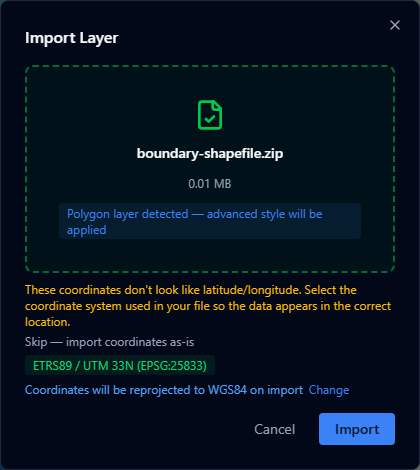
- Open the Layers panel and click +.
- Select Import file and choose your
.zipor.shpfile (max 200 MB). - AugmentCity parses the shapefile and converts it to GeoJSON.
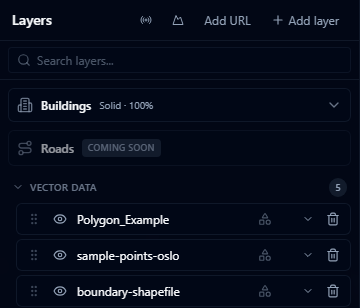
- The layer appears with a default style based on geometry type.
Coordinate systems
All geometries are reprojected to WGS 84 (EPSG:4326) during import. The .prj file is used to determine the source CRS. Commonly supported systems include:
- WGS 84 (EPSG:4326) — no reprojection needed
- Web Mercator (EPSG:3857)
- UTM zones (e.g. EPSG:32632 for UTM zone 32N)
warning
If the .prj file is missing or uses an unsupported CRS, the import will still succeed but features may appear at incorrect locations on the map.
Attribute table
All columns from the .dbf file are imported and available in the Style Editor for:
- Color mapping — color features by a categorical or numeric field
- Labels — display a field value as a text label above each feature
- Height encoding — use a numeric field to drive bar height or pole height
File size
The .zip must be under 200 MB. For larger datasets, consider:
- Filtering to the relevant area of interest before exporting
- Simplifying geometry with a tool like Mapshaper
- Splitting the dataset by region and importing as separate layers