Bug Reporter
Report bugs directly from the viewer — your report is sent to the development team with environment details and optional screenshots attached.
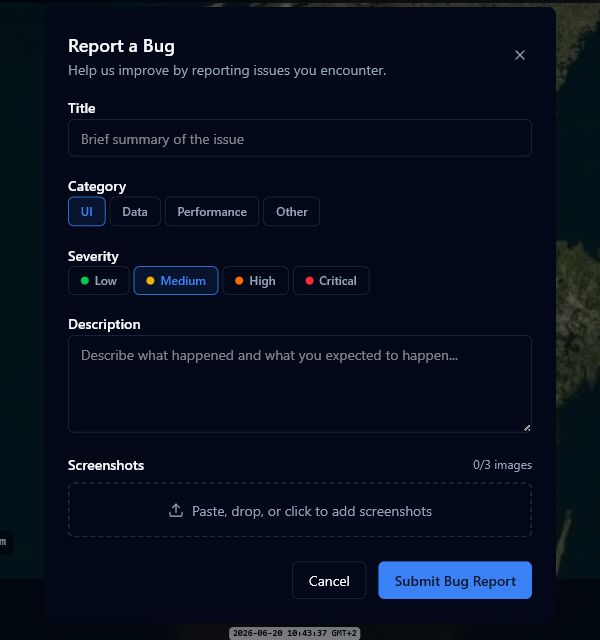
Reporting a bug
- Click the bug icon in the toolbar overflow menu (three dots icon).
- Enter a short title summarising the issue (3–200 characters).
- Select a category: UI, Data, Performance, or Other.
- Select a severity: Low, Medium, High, or Critical.
- Write a description explaining what happened and what you expected (10–5,000 characters).
- Optionally attach up to 3 screenshots — paste from clipboard (Ctrl+V), drag and drop, or click the upload area to browse.
- Click Submit Bug Report.
When the report is submitted successfully, a confirmation message shows the issue number assigned to your report. The dialog closes automatically after a moment.
What gets included
Your report automatically includes helpful context for the development team:
- Browser and viewport size
- Current page URL (without sensitive parameters)
- Camera position, active layers, and active scenario
- Your email address
Screenshots
- Maximum 3 images per report.
- Accepted formats: JPEG, PNG, GIF, WebP.
- Maximum file size: 5 MB each.
tip
For visual bugs, a screenshot is worth a thousand words. Use Ctrl+V to paste directly from your clipboard — no need to save the file first.