Location Search
The search bar in the centre of the toolbar lets you find and fly to any place on Earth.
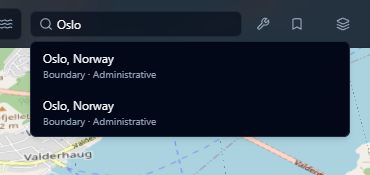
Searching for a location
- Click the search bar in the toolbar and type a place name (city, address, landmark, etc.).
- Results appear in a dropdown as you type.
- Each result shows the place type and administrative region.
- Click a result or press Enter to fly the camera to that location.
Use the Arrow Up/Down keys to navigate through results and Escape to close the dropdown.
tip
You can search for street addresses, city names, landmarks, or geographic features like "Mount Everest" or "Amazon River".